Why You Should Ignore "Top 10 Windows Hardening Tools" Lists
Published on November 4, 2026 · 5 min read
If you search for how to harden Windows, you'll be flooded with articles ranking the "Top 10 Free Hardening Tools".
Let’s be honest: many of these lists exist primarily for affiliate traffic. The author earns a commission when you click their links. A lot haven’t even tested these tools in a VM, let alone worked through recovery steps when a script inevitably breaks the OS.
Blindly running hardening scripts without a proper rollback plan is almost always a disaster.
Windows hardening is never one-size-fits-all. If you copy-paste a random script from the internet and run it, something will likely break. It could be an old network printer that still depends on SMBv1 (which you should replace if possible), or a legacy line-of-business app that relies on a specific registry configuration.
Even worse, some poorly written scripts attempt to block risky ports like 445 by disabling core Windows networking components such as LanmanServer. That immediately kills local file sharing. Other scripts mess with system directory and registry permissions and strip TrustedInstaller ownership — a mistake that can stop future Windows updates and core OS components from installing.
These rankings judge tools by how many tweaks they apply, not whether those tweaks are safe or reversible. Applying dozens of hardening rules is trivial. The hard part is rolling them back cleanly when something stops working. Those Top 10 lists almost never cover that.
So what should you actually look for?
Before you grab that “ultimate hardening script” off GitHub, ask yourself three questions:
- Does it have a reliable rollback feature? If it modifies the registry or file permissions, can you revert changes cleanly with one click when things break? If not, stay away.
- Is it fully offline? A proper hardening tool shouldn’t require internet access, and it definitely shouldn’t upload your system configuration to a cloud dashboard. Everything must run 100% locally on your machine.
- Does it have a usable GUI? For regular users, digging through PowerShell or hundreds of scattered Windows settings is not practical. A simple interface makes hardening accessible.
That gap is why I built WinSystemHarden, a free GUI-based Windows hardening tool. No coding knowledge required, no command line work. Just tick boxes in the UI, click Apply Hardening, and it applies a curated set of 29 core hardening rules.
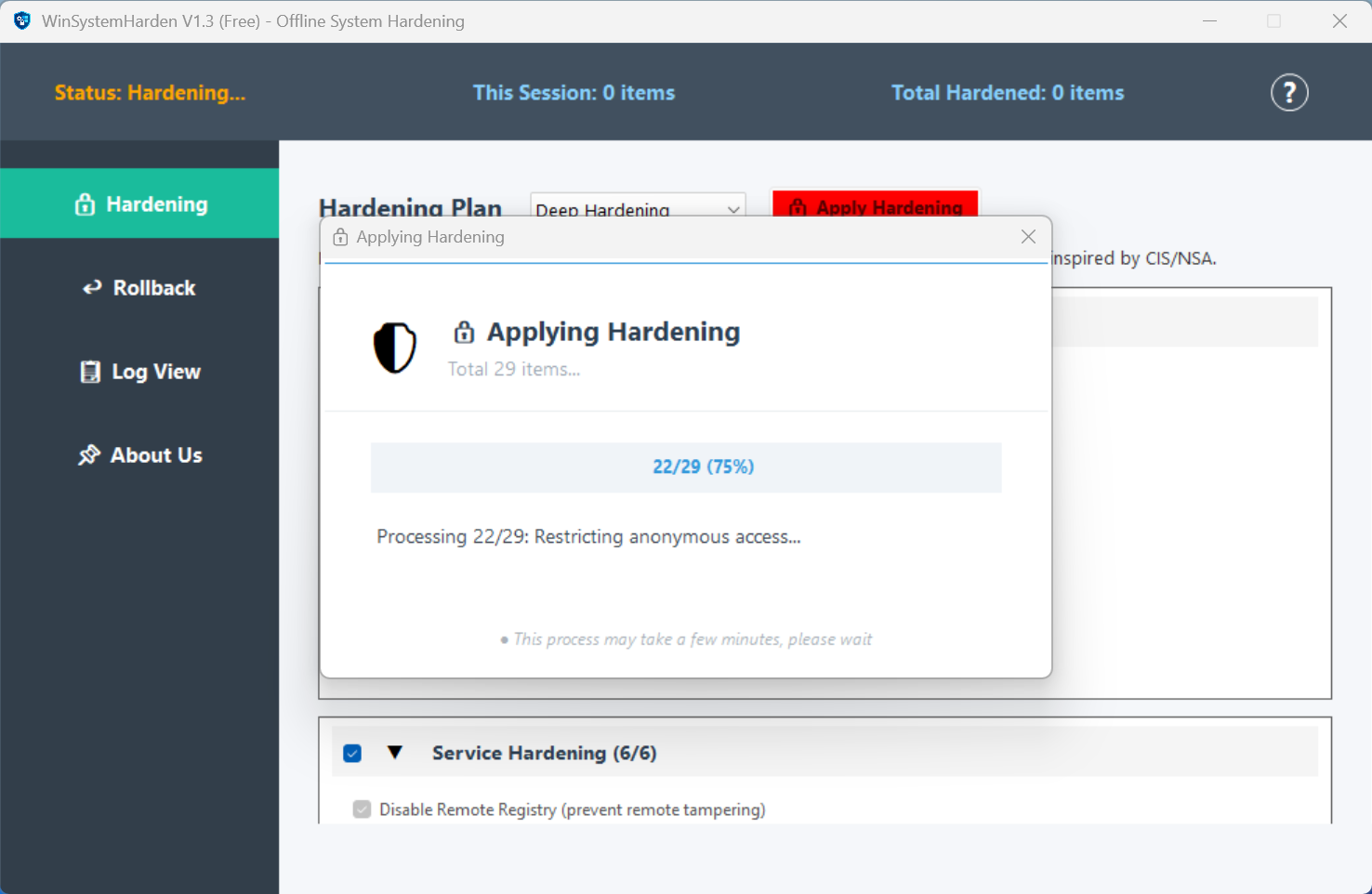
Applying 29 curated hardening rules with one click.
What makes it different from those random scripts you find online?
Before applying changes, it doesn’t merely back up raw registry DWORD values. It uses PowerShell’s Get-Acl API to export file and registry Access Control Lists (ACLs) and inheritance rules into an XML snapshot. Every firewall change also stores an exact reverse command.
If a hardening rule breaks something on your PC, just hit Rollback. It executes all those reverse commands and restores the original ACL state. You get the convenience of one-click hardening, paired with a solid undo button.
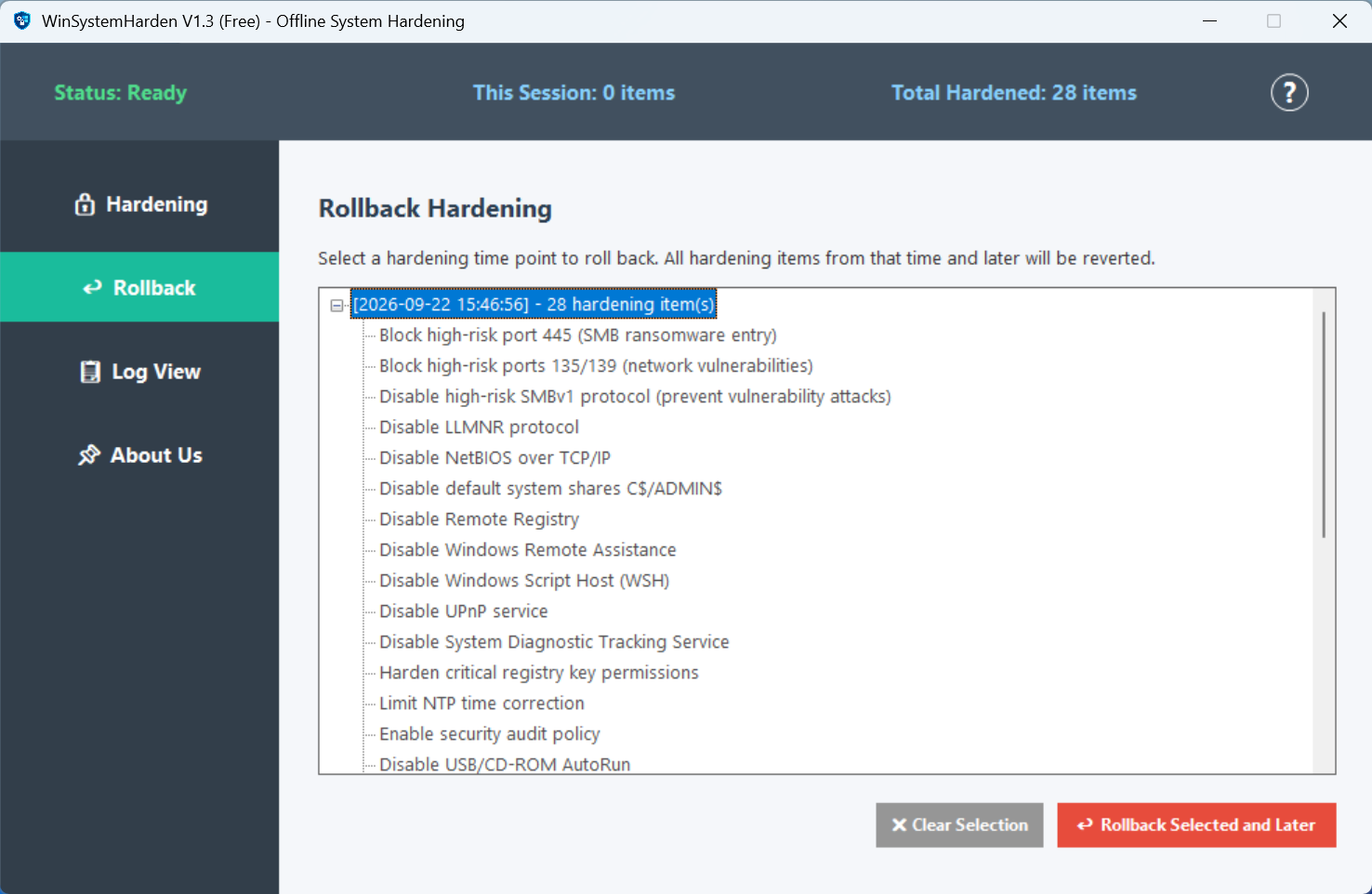
Rolling back to a previous time-point snapshot.
One-click hardening. One-click rollback.
⬇️ Download Free